Workspace renewal clickable prototype
This is a planning aid, not an implementation, deployment, or acceptance test. Its data is synthetic and every apparent operation is inert. It helps review Pi, Workbench, and Anvil Work before an approved implementation slice. See the companion UX notes for observed, proposed, and deferred choices.
Implementation authority
The owner confirmed on 2026-09-20 that these mockups are the permanent UI direction for a replacement implementation, not optional inspiration or add-ons to the old dashboard. Match their presentation as closely as possible. There is no requirement to preserve the old UI; correctness of the final experience is the gate. See the recorded implementation direction. The synthetic prototype itself still proves no live behavior or deployment.
Implemented UI captures — 2026-09-20
These captures show the running replacement UI with isolated synthetic data:
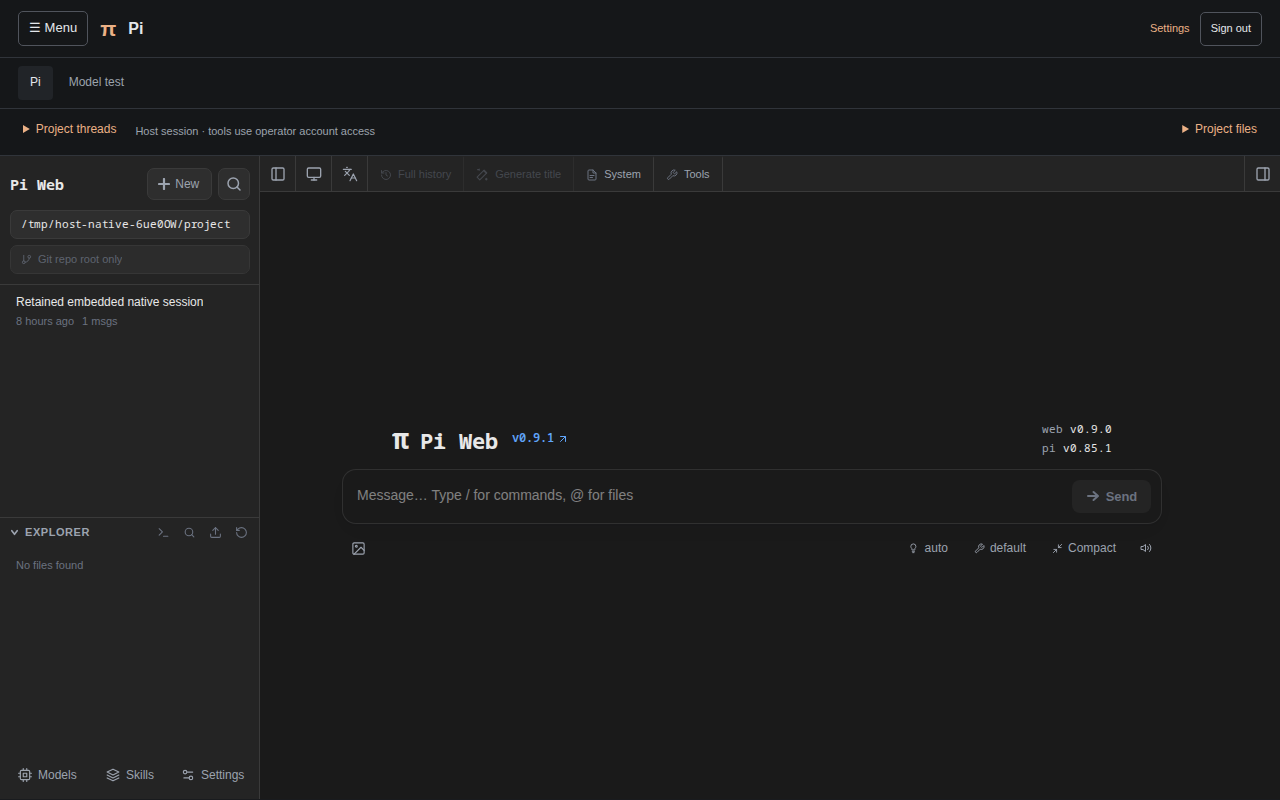
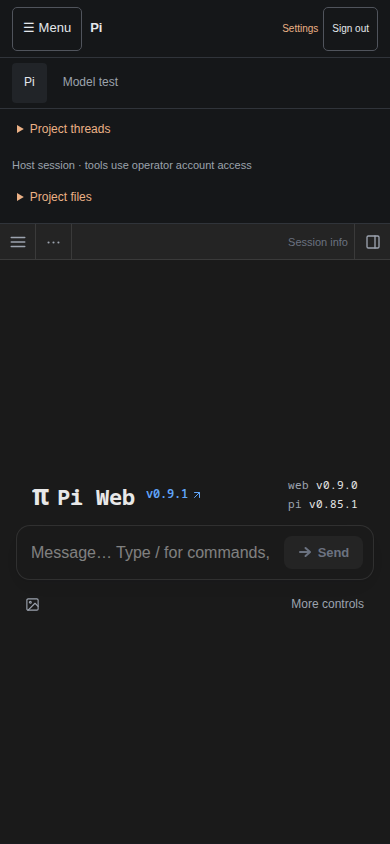
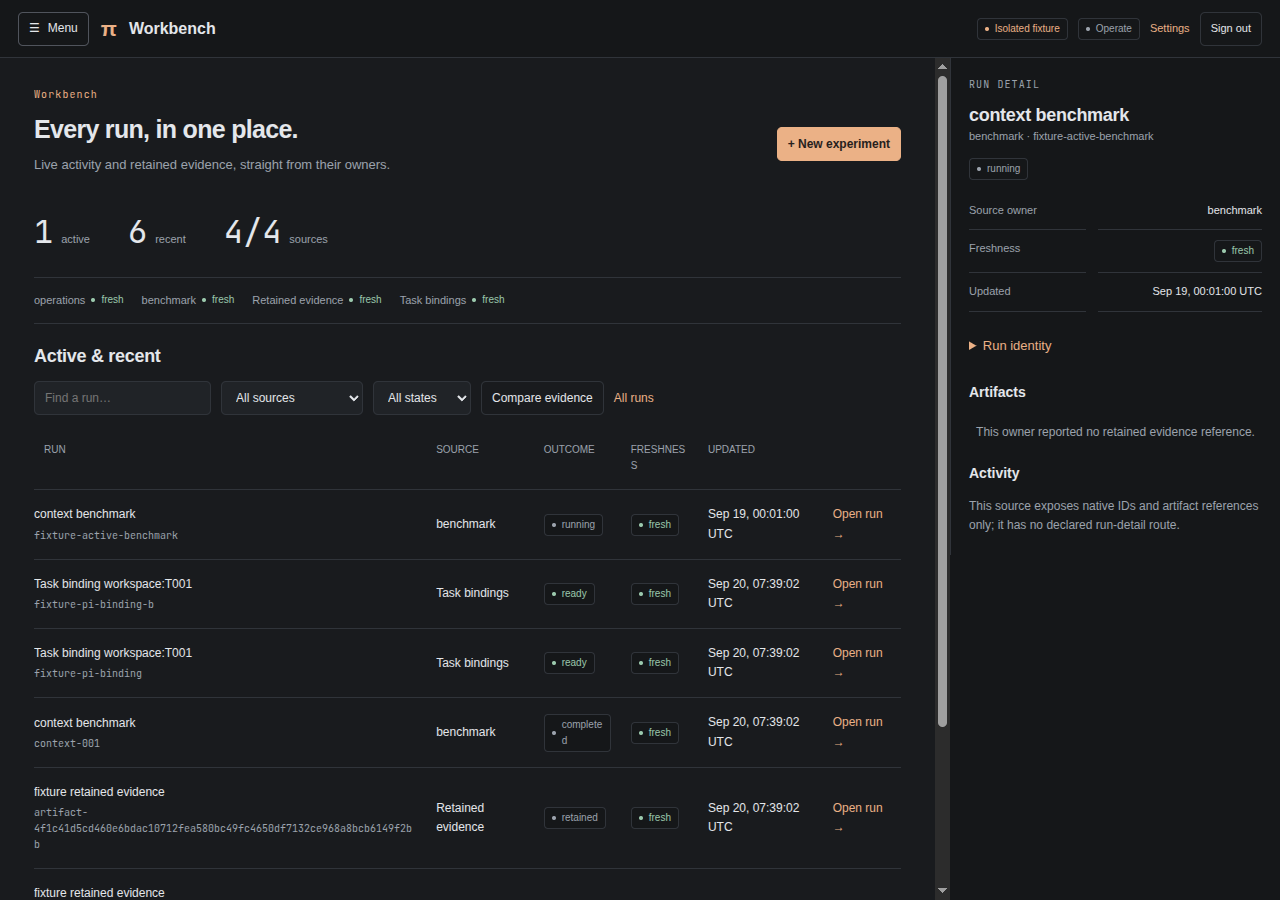
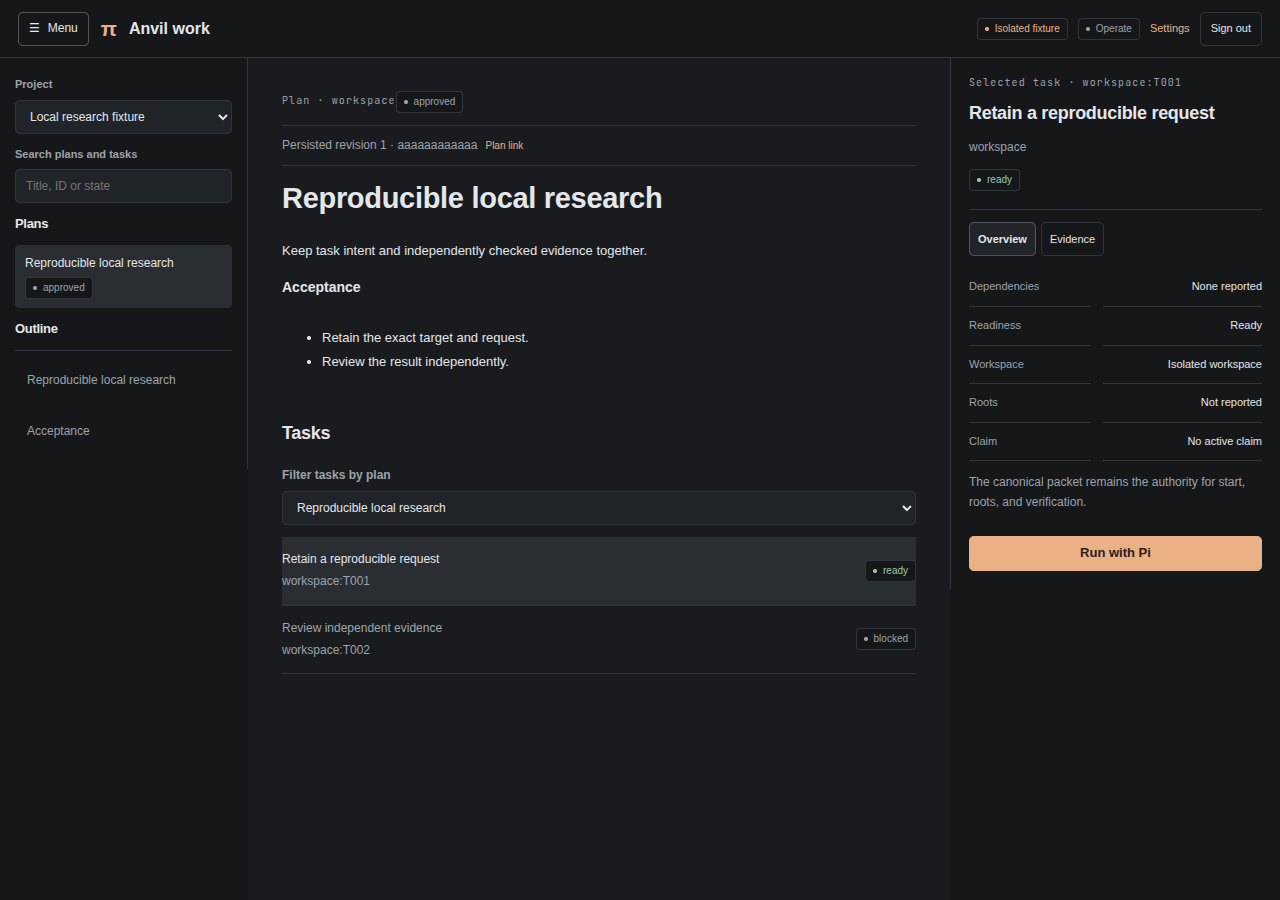
Pi uses the pinned native app embedded in the actual Playground view. The local
capture harness permits its HTTPS parent to embed a loopback HTTP fixture;
that browser exception is test-only. These screenshots demonstrate rendering,
not live deployment or provider acceptance. Behavior is covered separately by
the browser journeys in tests/ui/workbench/ and the native installer smoke.
Open it
Open index.html directly in a browser. No server, install, credentials, project-state access, model request, or live operation is required.
What the prototype represents
- The header's hamburger and preview controls switch between Pi, Workbench, and Anvil Work views.
- Pi keeps the familiar Pi Web arrangement: sessions and explorer on the left, conversation in the center, and an optional file/changes panel on the right. Select an ordinary project thread or the separate Anvil tasks thread to inspect the two owners without treating their authority as interchangeable.
- The Pi settings dialog makes roots explicit. The fixture begins with two
selected writable Git roots (primary
product-ui, secondaryservice-api) and read-only reference context; exact claims and enforcement are not built. Ordinary host-session root labels are context only unless confinement is proven. - Workbench shows active/recent runs, source coverage, a source-down state, and one stable run detail. “Completed,” verification, acceptance, and promotion remain distinct labels.
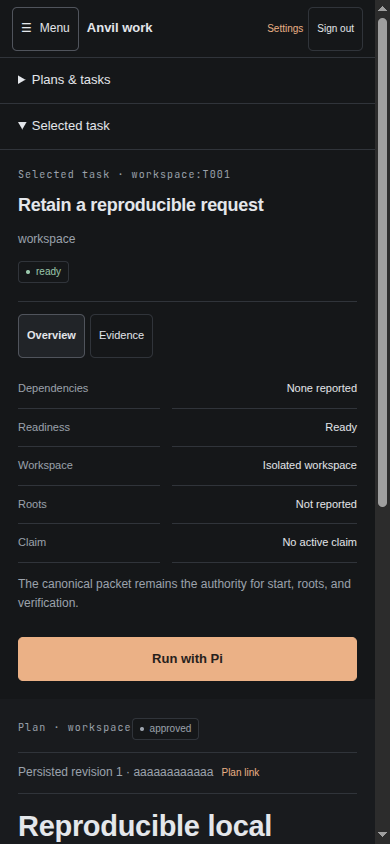
- Anvil Work shows a readable plan, task readiness and claims. “Run with Pi” opens a start preview with the packet, selected checkout/worktree, roots, provider/model, and lease implications before its inert start action.
Static visual references
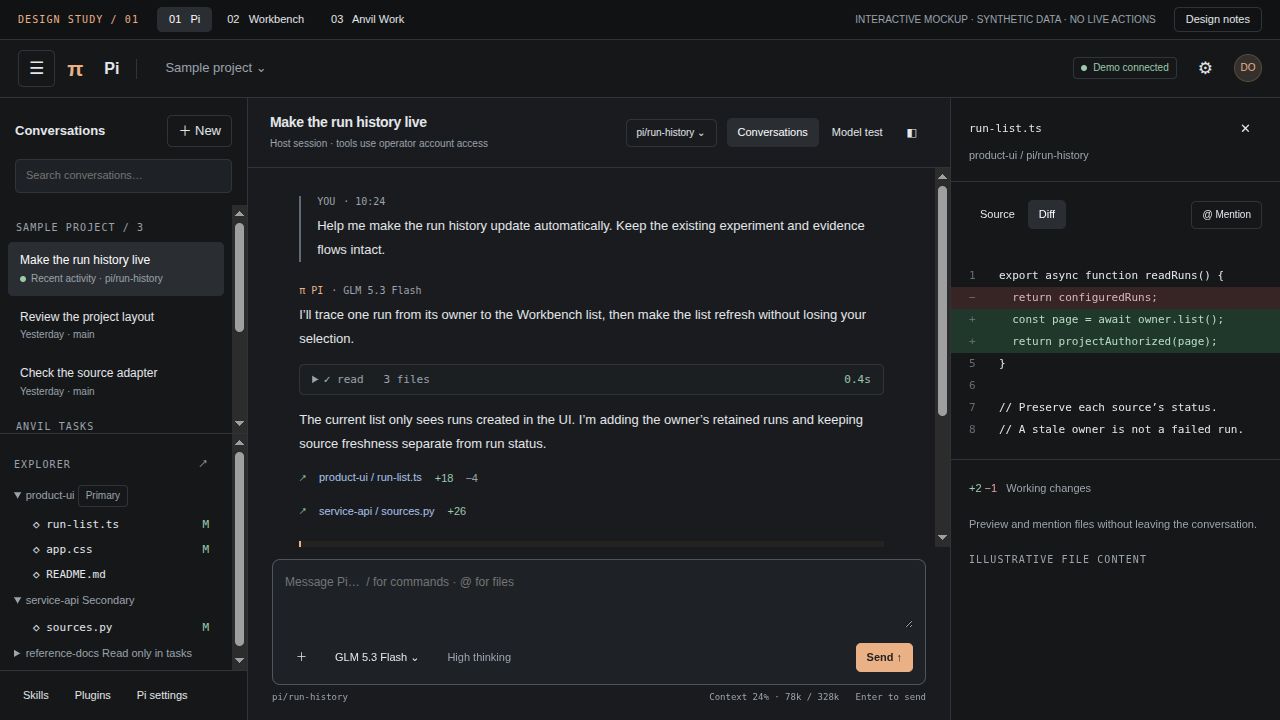
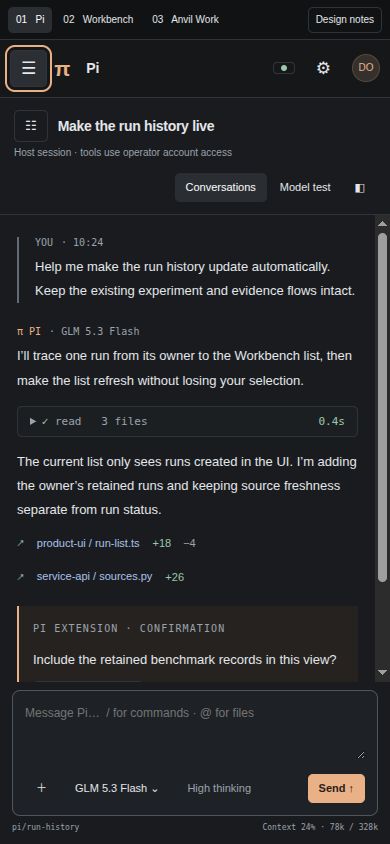
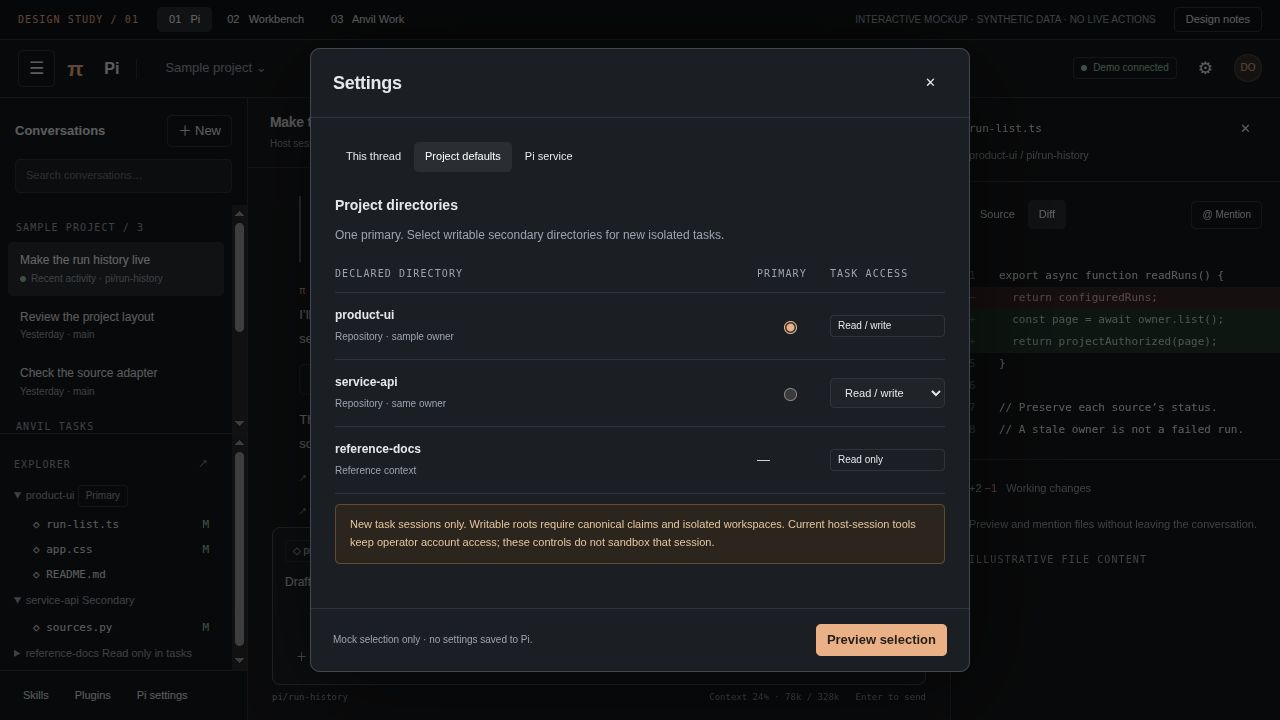
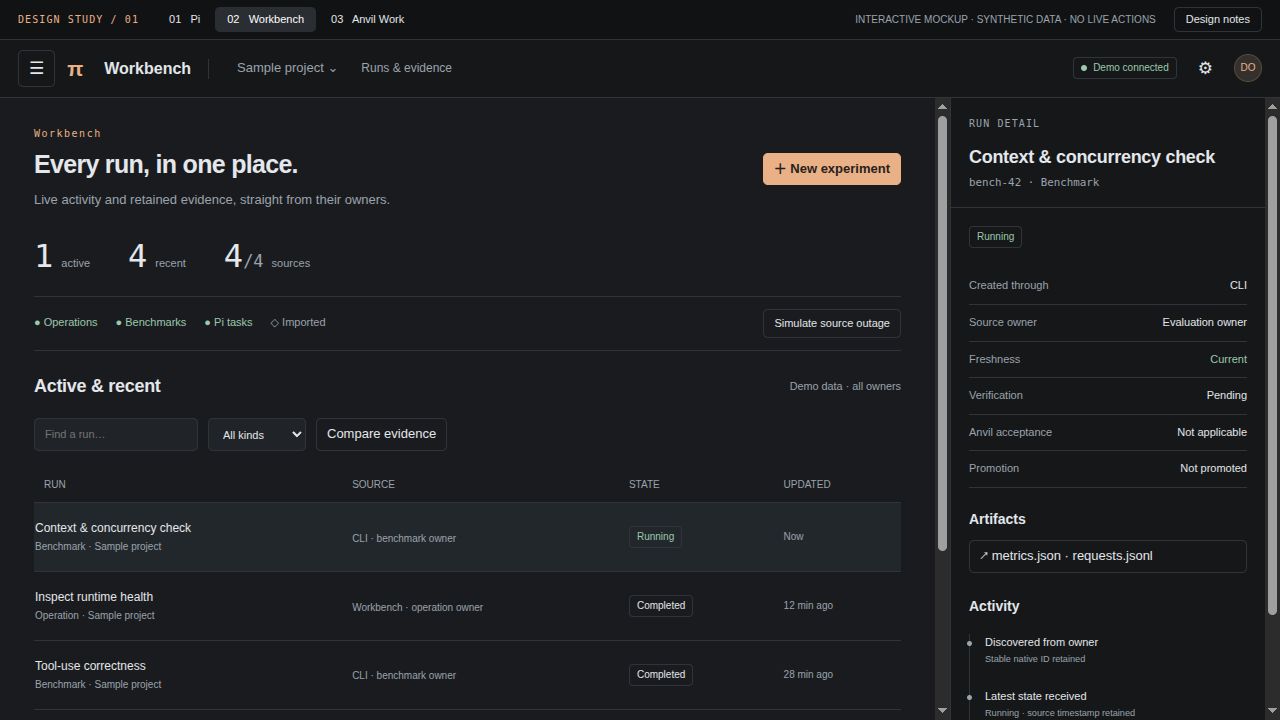
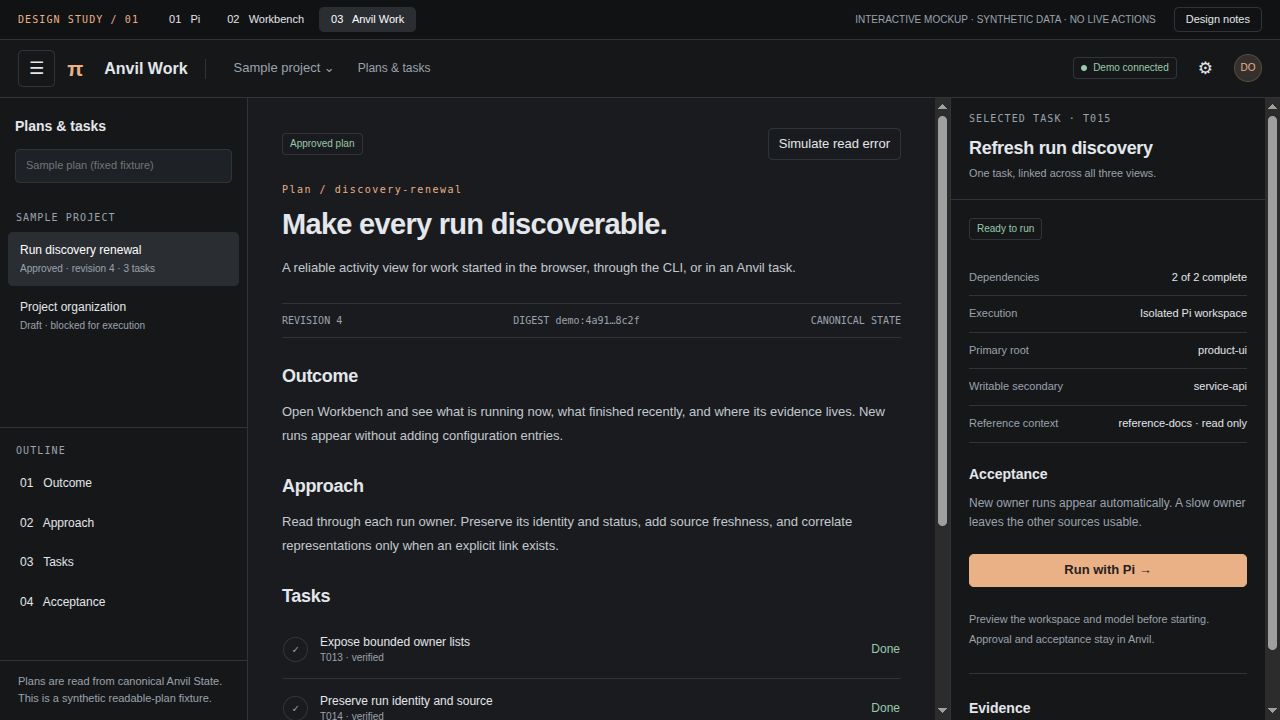
The study controls across the very top are prototype navigation, not another product navigation bar. Illustrative source files are not patches to copy.
Packet map
| Packet | Prototype cue |
|---|---|
| T02 | Pi is shown inside the app shell as a proposed reuse path; the mockup proves no embedding, authentication, or owner boundary. |
| T03 | Project roots, primary selection, explorer/worktree context, and explicit secondary write selection. |
| T04 | Collapsible hamburger navigation and resilient shared page shell. |
| T05 | Pi-first Playground, thread controls, host/task distinction, optional file/diff panel, and scoped settings. |
| T06 | Workbench active/recent lists, filters, stable detail, provenance, freshness, and source-unavailable presentation. |
| T07 | Plan/task rail, task blockers, run preview, and links between task, Pi thread, and Workbench run. |
Five review journeys
- Pi project thread: choose Pi, open an ordinary project thread, then collapse/show the file panel and read the owner-access disclosure.
- Pi managed task: choose Anvil tasks in the thread rail, open Settings, and compare its primary and selected writable secondary roots.
- Workbench coverage: choose Workbench, filter runs, open a detail, then toggle a source down and confirm retained rows are marked stale rather than disappearing or being called “no runs.”
- Task launch preview: choose Anvil Work, select a ready task, choose Run with Pi, and inspect the packet, roots, model, workspace, and claim before closing or using the inert start control.
- Blocked and narrow views: open the draft “Project organization” plan or simulate a plan-read error, then narrow the window or use browser responsive mode; panes should collapse without page overflow and the shell/menu should remain understandable.
Compatibility and review limits
Navigation calls the product Pi, while existing public #/playground links
and the Model test surface remain compatibility anchors. The prototype displays
that relationship; it does not migrate routes or merge Model test history into
Pi sessions.
Review visual hierarchy, labels, disclosure of authority, states, and responsive behavior. Do not use it as evidence that T02 framing, T03 enforcement, T05 Pi capabilities, T06 discovery/polling, or T07 claim/start recovery works. Those need their packet-specific implementation and independent validation.
Prototype checks performed
Checked in the local browser on 2026-09-18 at its default 1280 × 720 viewport and at 390 × 844 for narrow layouts. Screenshots above contain only synthetic fixtures. Verified:
- Thread draft retention, new-chat starter insertion, and source-labeled context chips.
- Simulated send/stop and unavailable managed-task follow-up.
- Run search/empty state, stale source with retained Completed state, and plan-read error.
- Plan → start preview → isolated-task Pi view → one correlated Workbench row.
- Dialog Escape behavior, application-menu focus return and mobile thread drawer.
- No horizontal document overflow on any of the three narrow screens; Pi composer visible.
- Browser error log empty; inline JavaScript syntax checked; no external runtime dependency.
These are prototype interaction checks only. They prove no live service behavior, model quality, multi-root enforcement, polling budget, or authentication boundary. The source settings/root selectors change mock defaults only; existing fixture bindings remain frozen. Attachment, model/service administration, and experiment controls show explanatory placeholders rather than sending requests.